



Don’t save all the paperwork for quarter end.
A receipt dealt with today is one less to hunt for later. Keep expenses together as you go, ready to review with your accountant.
Keep the pile from growing.
Deal with receipts and supplier invoices as they come in, so quarter end doesn’t become a scramble for paperwork. Easily see what you’ve checked and what still needs review.
Kwilo suggests expense categories for you to approve or correct. If you’re unsure, leave the item for review and ask your accountant before deciding.


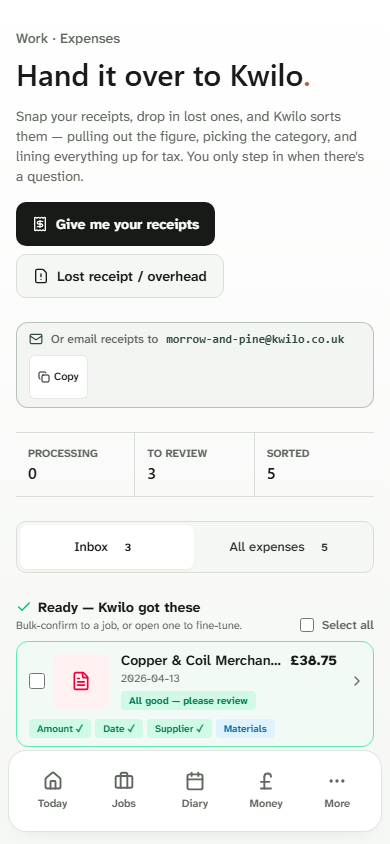
Deal with a receipt while it is still in your hand.
Photograph a receipt. Kwilo reads the details and suggests a category for you to check. You can also send it to the business email address.
Check the amount, date, supplier and category, then confirm or correct the record. No receipt? Record the cost as a lost receipt or overhead.
Keep the accountant you trust.
Already use Xero, QuickBooks Online or FreeAgent? Connect your accounting package to share supported records, while keeping the day-to-day work together in Kwilo.
You can also invite your accountant or bookkeeper into Kwilo as an Advisor to review your records with you. Keep anything you’re unsure about for review and ask them for advice.
The records stay yours to check.
You decide what’s ready for the books. Your business remains responsible for its records and tax position.
Get a clearer idea of what to put aside.
For supported sole traders using Kwilo’s own books, see an estimate of tax to set aside from what you’ve recorded so far.
It assumes self-employment is your only taxable income. Missing records and year-end adjustments can change the amount. Connected accounting software holds its own tax figures.
Could Kwilo fit the way you work?
Check the price and what’s included. If Making Tax Digital applies to you, read what Kwilo can help you prepare.